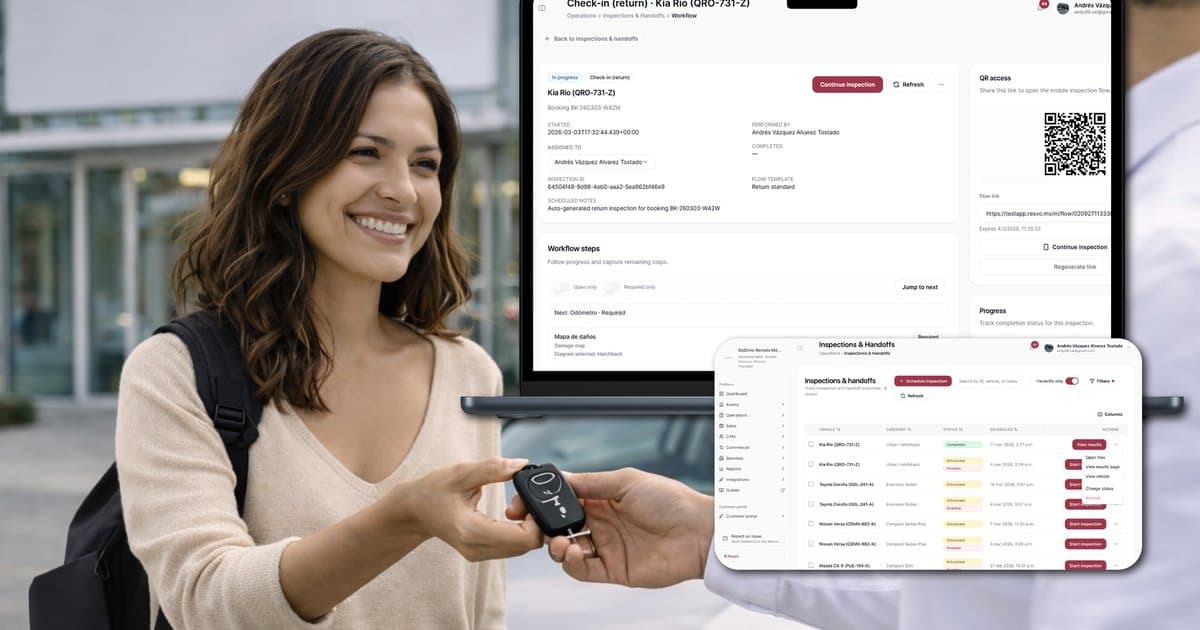
A digital ID car rental workflow should help the customer prepare and help authorized staff review the right evidence. It should not turn a document upload, a digital wallet, or a green status into automatic driver approval.
The operational goal is a clean handoff: required information arrives through an approved route, its review state stays connected to the booking, exceptions have owners, and the branch can see what remains before releasing the vehicle.
Since May 7, 2025, the Transportation Security Administration has enforced REAL ID requirements at U.S. airport security checkpoints (DHS announcement). TSA also offers optional digital identity use at participating checkpoints (TSA Digital ID). These programs can shape traveler expectations, but they do not set a rental company’s driver-verification, insurance, privacy, or vehicle-release rules.
This updated playbook separates airport-travel context from car-rental authority and shows how to design evidence, review, recovery, and pickup states around the operator’s actual policy.
Start with the decision, not the upload field
“Collect a photo of the license” is a software task. “Decide whether this customer and driver satisfy the rental’s current requirements” is an operating decision.
Before choosing a check-in screen, write down:
- Which customer and driver facts are required before arrival, at pickup, or only for an exception.
- Which sources or documents staff are permitted to review.
- What makes submitted evidence current, complete, legible, and consistent enough for review.
- Who may decide eligibility, accept an alternative, or deny a policy exception.
- When prior evidence must be checked again.
- What the customer sees when something is missing or cannot be accepted.
- What information is retained, who can access it, and when it is deleted.
The workflow should prepare the decision and preserve its context. Authorized people apply the operator’s approved rules.
Treat identity as one pickup-readiness gate
Identity and driver review is not the first or only truth behind a rental. It sits beside other readiness gates:
Scroll to compare every column
| Gate | Question the branch must answer | Authority boundary |
|---|---|---|
| Booking | Is the correct customer, time, location, category, and current status recorded? | Reservations and operating policy |
| Customer and driver | Are required facts and evidence reviewed under current rules? | Authorized eligibility reviewer |
| Agreement | Is the correct version reviewed and signed through the approved process? | Contract owner and counsel-defined workflow |
| Payment or deposit | Is the required financial state clear? | Authorized staff and payment provider |
| Vehicle | Is the assigned unit ready under safety and operating checks? | Qualified branch or fleet staff |
| Handoff | Are required evidence, ownership, and release steps complete? | Authorized release owner |
A digital check-in should let the team see these gates together without pretending they are one approval.
For the full handoff, use the pre-pickup readiness checklist. That guide joins the separate gates without treating document submission as approval. For the agreement gate, use the digital car rental agreement workflow. This playbook stays focused on customer and driver evidence. If the source booking or financial state is unclear, begin with car rental software with online booking and the payments, deposits, and refunds playbook.
Build an evidence-readiness contract
An evidence-readiness contract defines the minimum record staff need to review a requirement consistently. It does not certify identity or replace policy.
Define six parts for each requirement:
Scroll to compare every column
| Part | Question to answer | Example workflow field |
|---|---|---|
| Requirement | What must be provided and at which stage? | Primary driver license before pickup |
| Source | Which evidence route is approved? | Secure upload, approved in-person review, permitted digital credential route |
| Completeness | Which elements must be present? | Front and back where required, all requested fields visible |
| Freshness | When must it be checked again? | Expiry, changed driver, changed rental, policy or insurer rule |
| Consistency | Which facts must agree with the booking or agreement? | Name and permitted driver details |
| Review | Who can accept, reject, or escalate it? | Branch agent, manager, specialist review queue |
Do not use “verified” without defining what was actually checked. A workflow may verify that required fields are present and consistent while still requiring a person to assess eligibility or authenticity under policy.
Ask for the minimum at the right time
Pre-arrival collection can move work out of the pickup queue, but collecting more data is not automatically better.
Use three questions for every field or document:
- Is it necessary for this rental and stage?
- Is the company permitted and prepared to protect it?
- Will an owner actually review it before the next decision?
If the answer to any question is no, remove the field or move it to the correct stage.
A practical sequence can be:
At booking
Collect the minimum needed to create the request or reservation and explain future requirements. Do not ask for sensitive evidence simply because the form can store it.
Before arrival
Request approved customer and driver evidence, show what remains, and route mismatches while there is time to recover.
At pickup
Check any physical, current, or final evidence required by policy. Confirm that the person, booking, agreement, payment state, and prepared vehicle match the handoff.
During extension or material change
Re-check only what the change, expiry, policy, insurer, or law requires. Avoid duplicate entry within the same rental while the evidence remains valid, but never promise “verify once forever.”
At return and closeout
Do not keep identity material in the active workflow merely out of habit. Apply the approved retention, access, dispute-hold, and deletion rules.
Write customer messages that name the action
“Complete your check-in” is too vague when the customer has several requirements.
Use messages that state:
- The rental and current state.
- The exact item needed.
- Why it is needed in plain language.
- The approved and secure action route.
- The due time.
- What happens after submission.
- How to correct a mistake or use an alternative route.
For example:
We still need the primary driver’s license images for booking R-2041. Upload them through the secure booking link by 3:00 p.m. A branch team member will review the submission. Your rental is not yet approved for vehicle pickup. If you cannot use this route, call the branch for the approved alternative.
The message does not accuse the customer, promise approval, or imply that upload equals acceptance.
Use separate messages when requirements have different owners. A payment reminder should not pretend to be an identity decision; a signature request should not say the vehicle is ready.
Route exceptions with evidence and an owner
The standard path is only useful if the team can recover the common failures.
Scroll to compare every column
| Exception | Preserve in the record | Next action to define |
|---|---|---|
| Image is unreadable | Requirement, failed evidence state, review note, prior attempt | Request the exact missing side or clearer image |
| Details do not match | Conflicting fields and their sources | Send to an authorized reviewer; do not auto-correct identity facts |
| Credential may be expired | Expiry evidence and rental date | Apply current policy or request an approved alternative |
| Customer cannot upload | Reason and permitted assistance route | Offer an accessible or in-person path without losing the booking |
| Additional driver added | New driver, booking change, required evidence | Start the approved driver-review flow and assess contract impact |
| Evidence arrives after cutoff | Time, branch readiness, assigned owner | Review capacity and communicate a precise status |
| System or link fails | Error, time, destination, attempts | Recover through an approved alternate route and keep one case history |
| Suspected misuse or fraud | Observed facts, not unsupported labels | Escalate under the operator’s restricted process |
An exception record should include booking, requirement, current evidence, reason, owner, due time, next action, and resolution. Free-text notes alone make it difficult to see whether the pickup is moving.
Avoid asking customers to resend sensitive documents through ordinary chat or personal email unless that route is explicitly approved and protected. A convenient recovery path can create a larger privacy problem.
Separate evidence checks from high-stakes decisions
Software can support controlled checks such as:
- Whether required files or fields are present.
- Whether evidence is recent enough under a configured rule.
- Whether two fields appear inconsistent.
- Whether a review is still pending at the internal cutoff.
- Which person or queue owns the exception.
- Which approved message or next action should be prepared.
Those checks do not decide:
- Whether a person is legally permitted to drive.
- Whether a document is authentic in every legal sense.
- Whether an insurer will cover an exception.
- Whether a customer is liable for damage.
- Whether a deposit should be waived or changed.
- Whether a vehicle is safe and may be released.
AI can draft, summarize, classify, and surface possible mismatches inside controlled permissions. Approval remains with authorized people; AI should not make eligibility, financial, legal, safety, liability, or release decisions.
Protect identity data by design
The National Institute of Standards and Technology separates identity proofing, authentication, privacy, security, usability, and redress in its Digital Identity Guidelines. The Federal Trade Commission’s business guidance on personal information advises companies to know what sensitive information they hold, keep only what they need, protect it, dispose of it securely, and plan for incidents.
Translate those principles into branch operations:
- Inventory every identity field and file collected.
- Record the legitimate operating or legal reason for each item.
- Limit access by role and location where appropriate.
- Avoid displaying full sensitive values in lists, notifications, or ordinary messages.
- Protect data in transit and storage through approved systems.
- Define retention and deletion by record type.
- Log approved access and changes when required.
- Give staff a clear privacy-incident escalation route.
- Give customers a correction, assistance, or redress path.
Privacy also affects usability. Explain the request in common words, avoid unnecessary repetition, and do not make a customer solve an internal tool problem.
Design airport and non-airport paths separately
Airport customers may arrive after flight delays, use a different form of travel identification, or expect a mobile-first route. That does not mean airport security credentials automatically satisfy a rental requirement.
For airport locations, test:
- Delayed arrival crossing a branch or verification cutoff.
- Booking name differing from a travel record or payment holder.
- International driver documents and approved review paths.
- Customer using a digital travel credential but still needing the rental’s required evidence.
- Weak connectivity, low battery, or inability to retrieve a link.
- After-hours handoff rules and who can resolve an exception.
For neighborhood, dealership, replacement, delivery, and long-term rentals, the evidence and owner may differ. Keep a common record structure but configure the requirement set to the operating context. Do not copy airport assumptions into every branch.
Run a pickup-readiness test suite
Test the workflow through keys out, not just submission.
Scroll to compare every column
| Test case | What the operation must prove |
|---|---|
| Prepared standard pickup | Evidence is requested, reviewed, linked, and visible before cutoff |
| Unreadable upload | Customer receives a specific recovery action and the prior attempt remains traceable |
| Mismatched driver detail | The case pauses and reaches an authorized reviewer without silent data changes |
| Additional driver | New requirements join the same rental and agreement impact is visible |
| Changed pickup time | Cutoffs, owner, vehicle preparation, and communication update together |
| Customer needs assistance | An accessible path exists without discarding captured booking data |
| Repeat customer | Current valid information is reused only as policy permits; expired facts are rechecked |
| Late-night airport arrival | The branch can see the exception, authority, and approved recovery route |
| Data deletion request | The privacy owner can locate the record and apply the approved process |
Record expected and actual results. A successful upload is not a successful end-to-end test if the branch cannot find the review or the customer still repeats every step.
Measure friction and control together
Use diagnostic measures rather than a generic speed promise:
Scroll to compare every column
| Measure | Definition to agree | What it shows |
|---|---|---|
| Requirements complete by cutoff | Eligible pickups with required customer and driver items completed by the internal time | Pre-arrival preparation |
| First-pass submission quality | Submissions that do not need a request for missing or unreadable evidence | Instruction and capture quality |
| Review turnaround | Time from review-ready submission to recorded review outcome | Queue ownership and capacity |
| Exception recovery | Exceptions resolved before pickup among those eligible for recovery | Recovery design |
| Repeated-entry rate | Pickups where staff or customer re-enter valid facts already held for the same rental | Record continuity |
| Verification-to-keys time | Time from the agreed verification start to authorized handoff | Counter workflow, not identity alone |
| Manual intervention by reason | Human work grouped by defined exception cause | Where rules or tools create avoidable work |
| Privacy incident or misroute | Identity material sent, viewed, or retained outside the approved process | Data-control weakness |
Segment by branch, booking source, lead time, rental type, and exception. Establish your baseline before setting a target. A shorter review time is not better if it comes from skipping a required control.
Use a 30-day implementation plan
Week 1: map requirements and authority
- List every customer and driver requirement by rental type.
- Name its source, reviewer, stage, retention rule, and exception owner.
- Remove duplicate or unsupported collection.
- Separate air-travel context from rental requirements.
Week 2: design states and messages
- Create the evidence-readiness contract.
- Name submitted, review-ready, accepted, rejected, expired, and exception states in plain language.
- Write specific customer recovery messages.
- Define the accessible and in-person alternatives.
Week 3: test evidence and exceptions
- Run the pickup-readiness test suite.
- Review role access, notifications, storage, and deletion paths.
- Confirm that booking, agreement, payment, vehicle, and handoff states remain distinct.
- Fix unclear ownership before adding automation.
Week 4: pilot one operating context
- Start with one branch, rental type, or controlled segment.
- Review upcoming pickups and open exceptions daily.
- Compare repeat entry, late requirements, and recovery with the prior baseline.
- Expand only after staff can handle common failures inside the approved record.
Where Resvo fits
Resvo’s Customer Pre-Validation workflow can keep submitted requirements and review status connected to the booking, contract, payment context, and handoff. Staff can see the work around the rental without treating evidence capture as automatic approval.
Explore Customer Pre-Validation, then review the booking command center for the wider operating record. Final eligibility, payment, policy, safety, liability, and vehicle-release decisions remain with authorized people.
If your team wants to map its existing check-in and exception flow before changing software, Book a demo.
Primary sources and scope
- NIST: Digital Identity Guidelines, Revision 4
- Federal Trade Commission: Protecting Personal Information — A Guide for Business
- Department of Homeland Security: TSA begins REAL ID full enforcement
- Transportation Security Administration: Digital ID
REAL ID and TSA Digital ID are U.S. air-travel programs, not car-rental approval standards. Confirm current law, insurer terms, privacy obligations, driver-verification rules, contract requirements, and branch authority before implementing a workflow.